
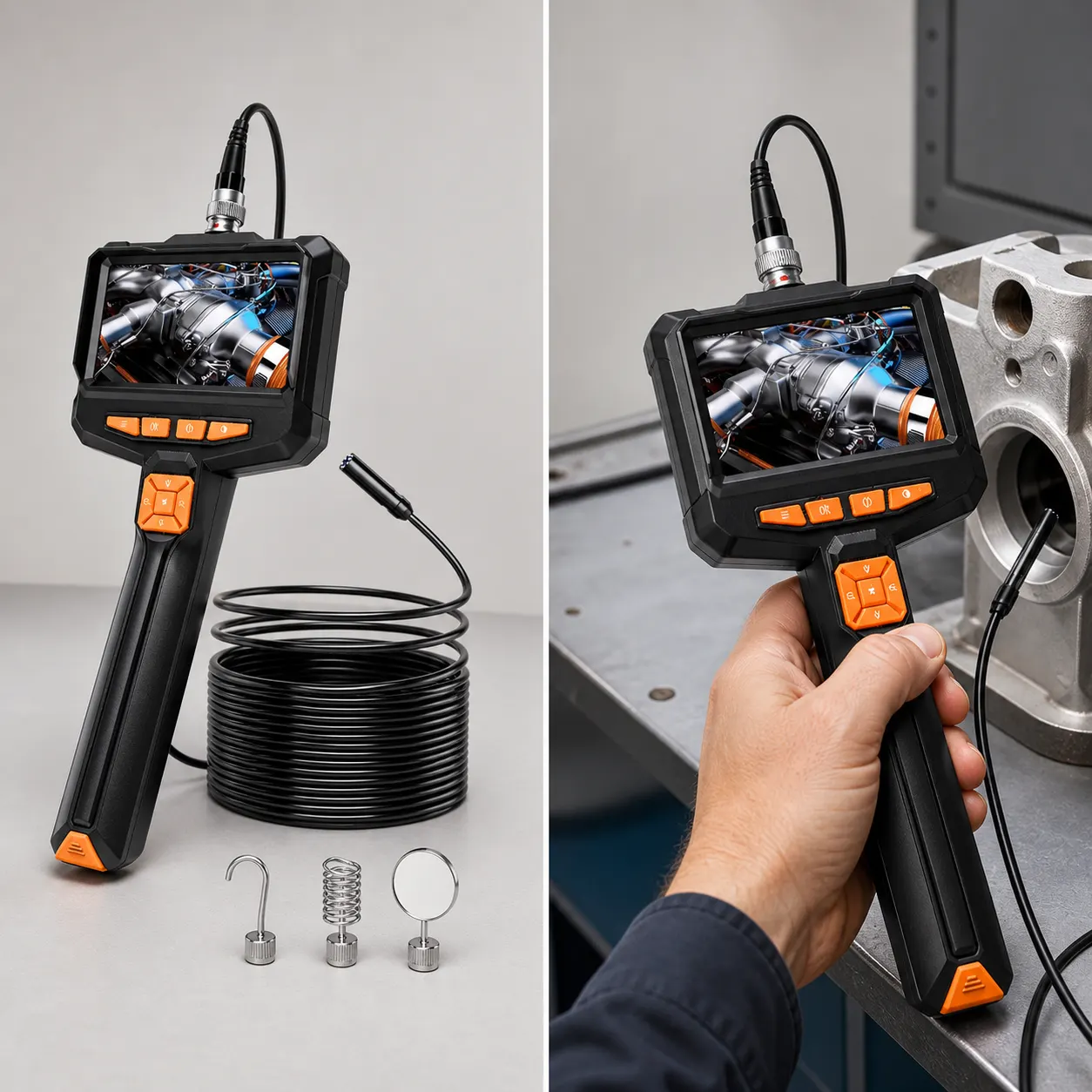
Short answer: A small business should choose an inspection camera around one repeatable job, a named operator and a documented storage and charging routine. The Hayve model offers a built-in 4.3-inch screen, a listed 7.9 mm lens figure, a 5-metre semi-rigid cable, adjustable LEDs and up to four hours of use from a USB charge according to the current listing. That may suit live viewing at a bench or stationary work area. It does not establish compatibility with every trade, environment or reporting process, so budget approval should depend on measured access and written limits rather than a broad industrial label.
Define the repeat job and the operator
Write a one-sentence use case: who will use the camera, what space they need to see and what decision the view supports. This prevents a general-purpose purchase from being judged against unrelated jobs after it arrives.
Measure the route on a typical job and confirm that the operator can position the cable while reading a 4.3-inch screen. If two people are normally required, include that labour arrangement in the decision.
- Choose one frequent task as the purchase case.
- Record the smallest opening, route length, bends and viewing position.
- Confirm that live viewing without a phone fits the operator's workflow.
- Estimate session length against the stated up-to-four-hour use.
- List unresolved requirements and reject the purchase if any is essential.
Compare the documented configuration with the workflow
The listing says no Wi-Fi, app or smartphone is required, which can reduce dependence on an employee's personal phone. The built-in display also keeps the viewing setup consistent between users.
That advantage is limited to live operation. The product page does not specify image saving, export, user profiles or asset-management features, so none should appear in a cost-saving estimate.
| Business requirement | Documented answer | Decision |
|---|---|---|
| Standalone live view | 4.3-inch built-in screen; no phone or app required | Documented |
| Access through a narrow gap | 7.9 mm lens figure; full head dimension not stated | Confirm the complete head dimension and measure each standard job |
| Reach | 5-metre semi-rigid cable | Check bends as well as distance |
| Saved or exported evidence | Not specified | Do not include in the business case |
Create a basic work-equipment routine
HSE guidance says work equipment should be maintained in an efficient state, in efficient working order and in good repair. For a shared camera, nominate a storage place and remove it from use if the cable, lens, screen or charging connection appears damaged.
Follow any instructions supplied with the product. Where the listing does not state cleaning or inspection intervals, do not invent them; set a simple pre-use condition check and seek the manufacturer's instructions.
Limits that affect a business purchase
The current listing does not state the complete camera-head diameter, focus range, operating temperature, chemical resistance, liquid-use procedure, replacement parts, charging time, image saving, export or compatibility with named trades or equipment.
A small business should buy only when the documented configuration covers the repeat job without relying on those missing capabilities. Specialist tasks need specialist documentation.
Related guides and product details
Approve the Hayve model only for a measured live-viewing workflow with an owner, storage routine and no essential specification gaps. Read Inspection Camera UK: A Measurement-First Buying Guide for related guidance. Read Wi-Fi Borescope vs Handheld 4.3-inch Screen in the UK for related guidance. Review the documented specification on the Endoscope inspection camera 5m, 4.3" ips screen industrial product page before ordering.
Sources and safety context
- Supports the documented product configuration and standalone viewing workflow. Current Hayve product page.
- Supports the need to maintain shared work equipment and manage safe maintenance. Maintenance of work equipment.